Enable your users to make individual adjustments to their user interface for an optimal browsing experience, simple, fast, and accessible.
Our Accessibility Widget offers comprehensive customization options for all users, from font sizes to contrasts to special reading modes.
Pre-configured profiles that automatically activate optimal settings for specific needs
Automatically stops all animations, flashing content, and reduces color contrasts. This profile eliminates all visual triggers that could cause epileptic seizures.
Automatically activates larger text, improved contrasts, readable fonts, and link highlighting. Optimizes the entire display for people with limited vision.
Combines focus highlighting, reduces distractions, stops animations, and activates reading aids. Helps people with attention deficit focus on essential content.
Activates reading aids, simplified layout, larger icons, clear page structure, and focus highlighting. Makes complex content easier to understand and navigate.
Unlocks full keyboard operation with extended shortcuts, focus indicators, and skip links. Ideal for people with motor impairments or power users.
Optimizes the website for screen readers like NVDA and JAWS, activates read-aloud function, improves semantic structure and keyboard navigation. Makes the website fully operable without a mouse.
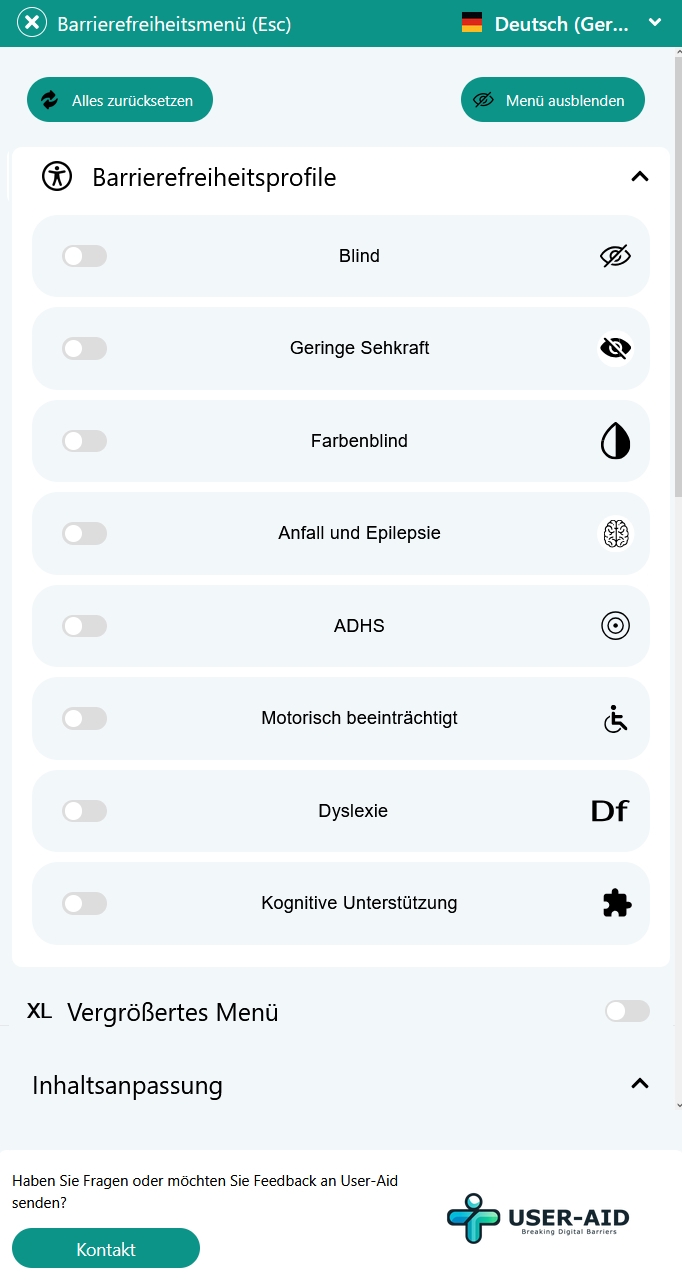
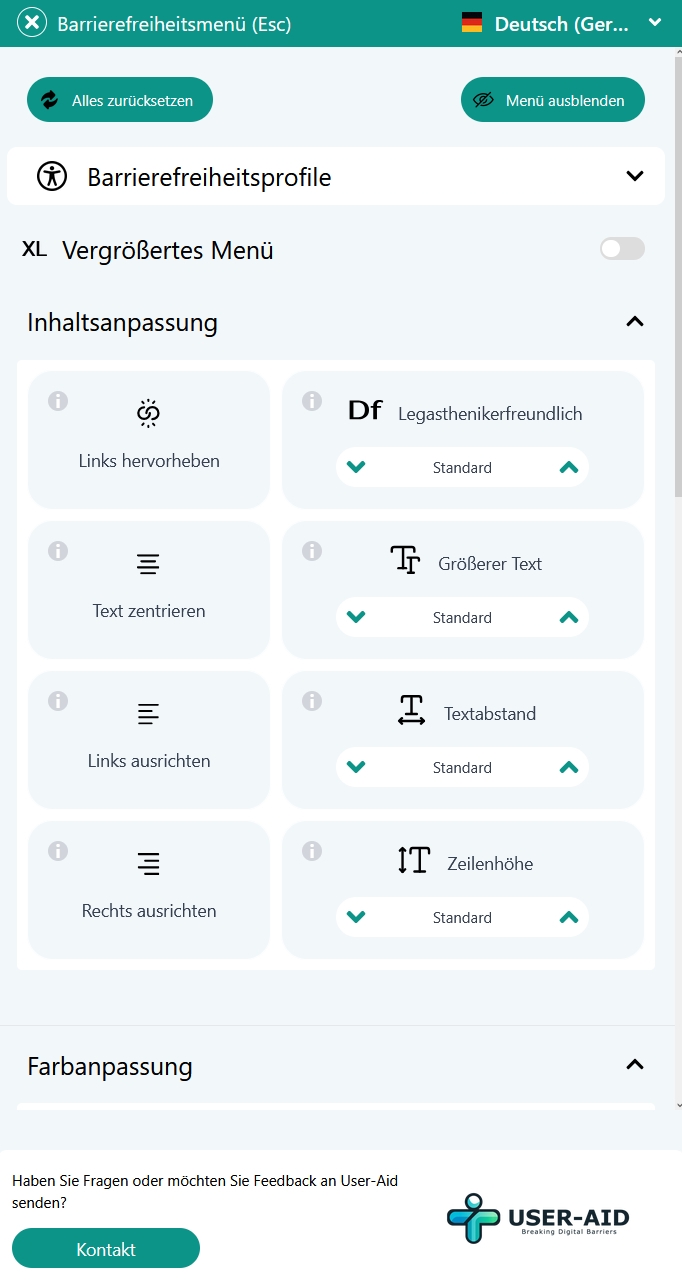
Fonts can be changed, highlight links, text sizes, etc.
Allows stepless enlargement of all text elements up to 200%. Text enlargement occurs without loss of quality and automatically adapts to the layout.
Special fonts like OpenDyslexic increase readability for people with dyslexia. Letters are displayed more distinctly and confusion is reduced.
Centers all text content for better readability. Especially helpful on large screens or for people with limited field of vision.
All clickable links are clearly colored and underlined. Prevents confusion between normal text and interactive elements.
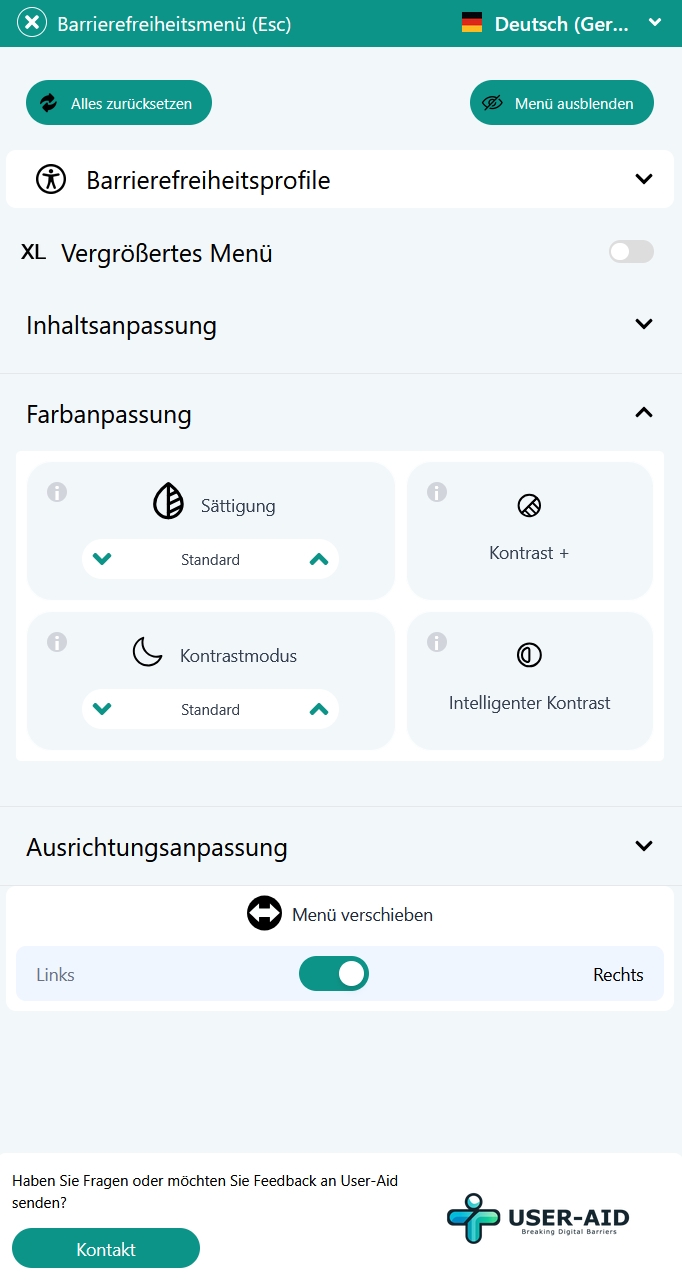
Intelligent or manual contrasts for optimal readability
AI-based automatic adjustment of all color contrasts according to WCAG 2.1 AAA standard. Ensures optimal readability without manual settings.
Various predefined contrast modes such as high contrast or dark mode. Each mode has been carefully optimized for maximum readability.
Reduces or increases the color saturation of the entire website. Helps people with light sensitivity or when working in different lighting conditions.
Manual increase of contrast between text and background. Gradual adjustment allows individual optimization for personal needs.
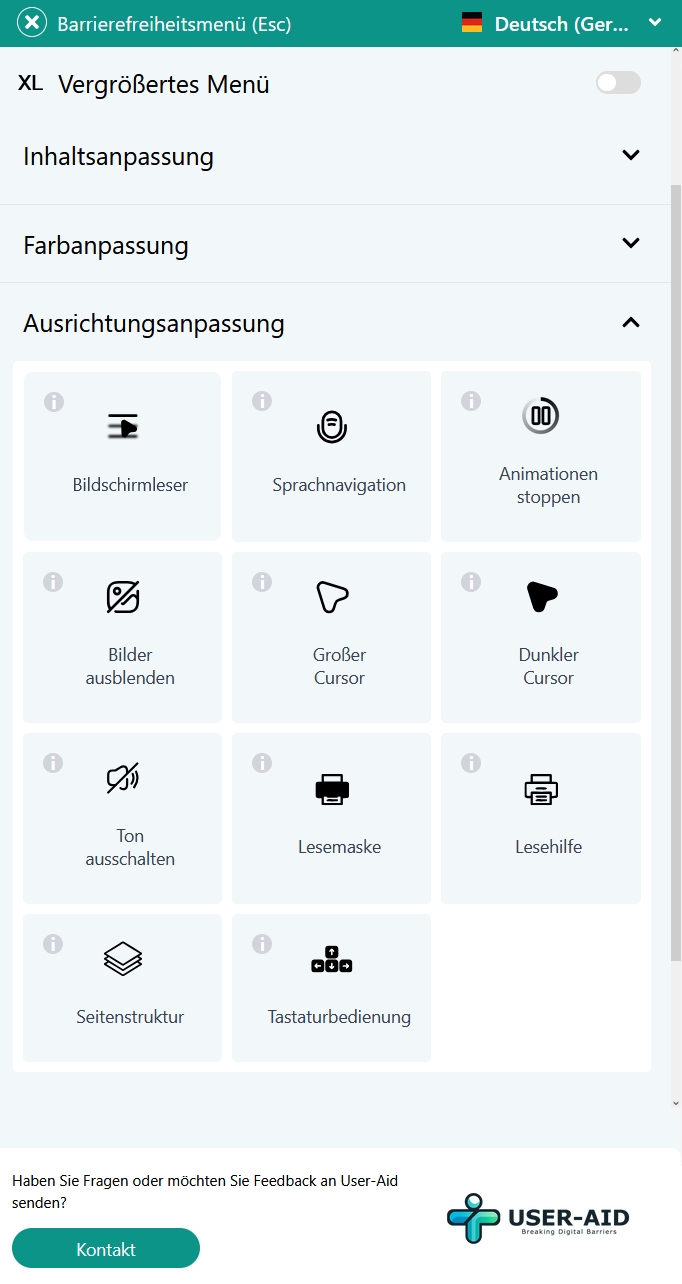
Advanced customization options for advanced users
Optimizes the website for screen readers and automatically reads all content aloud. Supports NVDA, JAWS, and other common screen reader software.
Control the entire website via voice commands. Perfect for people with motor impairments or for hands-free operation.
Stops all animations and moving content on the website. Reduces distraction and helps people with attention disorders or epilepsy.
Hides all images and shows only text. Speeds up loading and improves concentration on essential content.
Enlarges the mouse pointer for better visibility. Ideal for people with vision impairment or when using large screens.
Changes the cursor color to a dark mode for better visibility on light backgrounds and reduced eye strain.
Disables all audio elements on the website. Useful in noise-sensitive environments or for deaf users.
Displays a horizontal reading mask that highlights only one line of text. Improves concentration and helps with line-by-line reading.
Activates additional reading aids such as syllable separation and word spacing. Makes reading easier for people with reading difficulties or dyslexia.
Shows a clear overview of the page structure with headings and sections. Helps with navigation and understanding of page content.
Activates extended keyboard shortcuts for quick navigation. All functions are accessible via keyboard without a mouse.
Website individually customizable
Ready in 5 minutes
No impact on loading time
Schedule a free consultation now and learn how User-Aid can help you.
Integrated on your website within a few minutes, without technical prior knowledge.
Reach up to 10 million people with disabilities in Germany.
Google prefers accessible websites and rewards them with better rankings.
Extend your accessibility in addition to legal requirements.
Automatic updates and maintenance by User-Aid, you don't have to worry about anything.
Dashboard with detailed statistics on widget usage and performance.
Everything you need to know about our Accessibility Widget